01
Softphone + Dialer
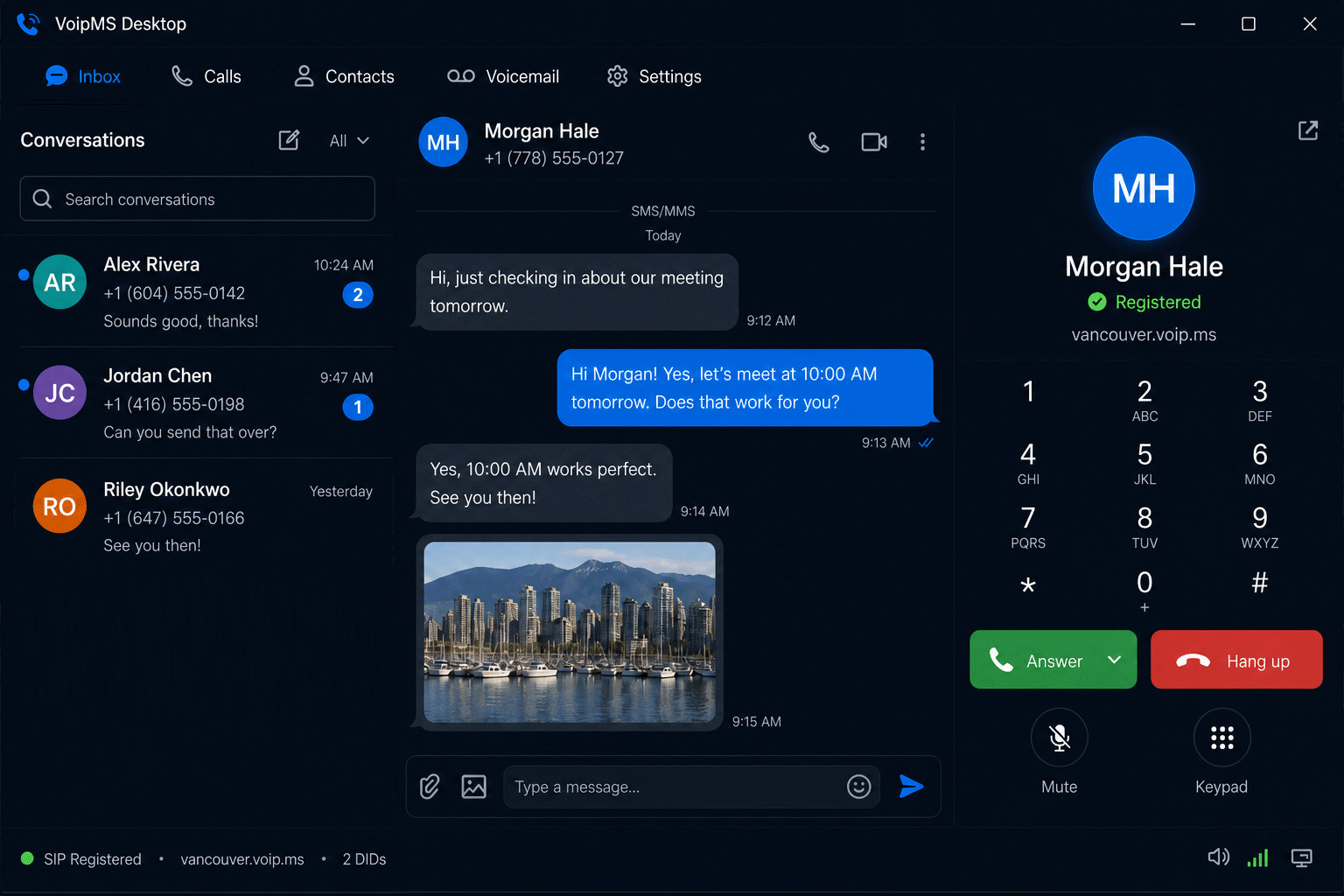
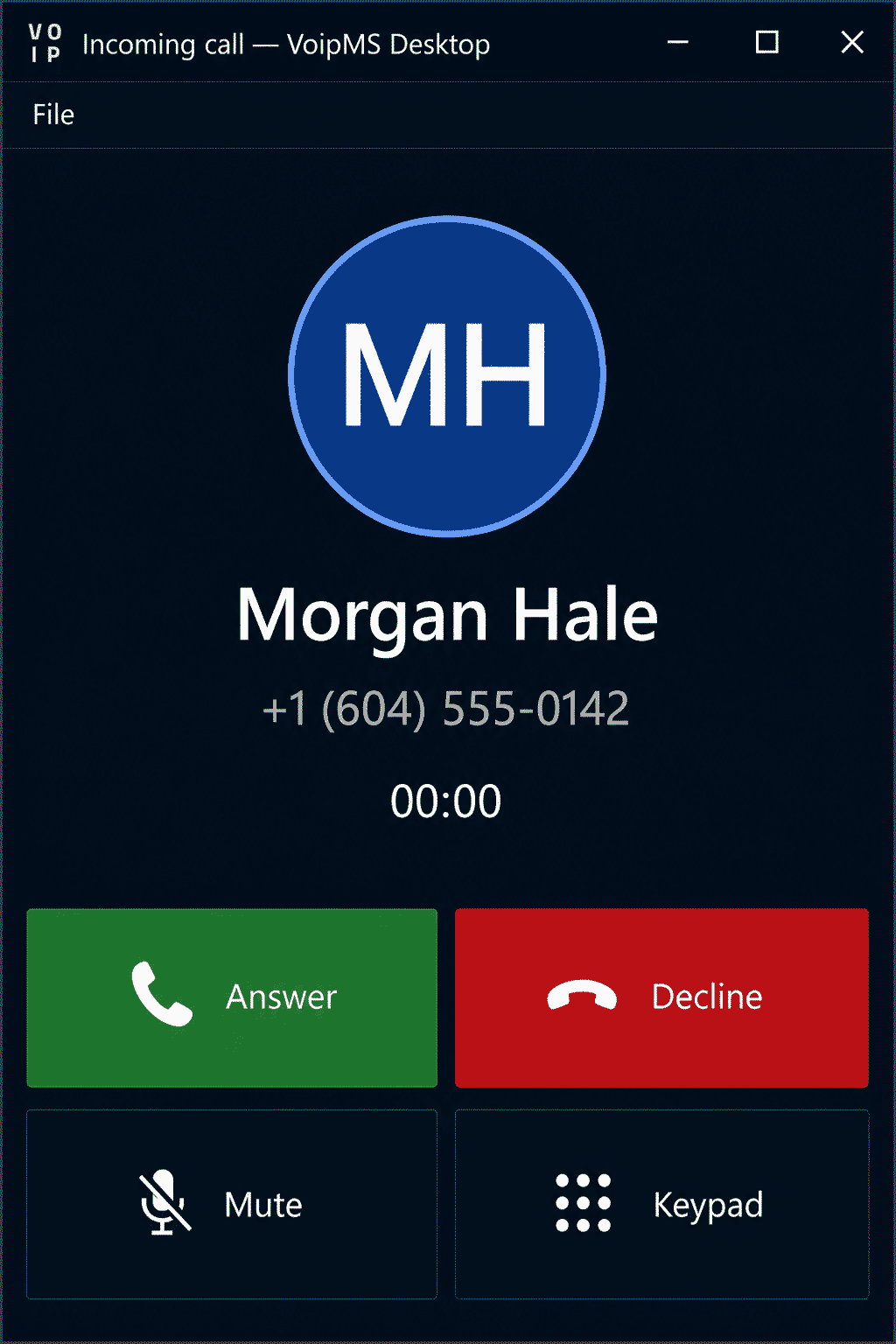
SIP registration, incoming ringing, in-call controls, and a numeric pad — all against your VoIP.ms sub-account.
The fully-functioned, lightweight desktop extension built around the services you already use
Now available
VoipMS Desktop talks to your VoIP.ms account over SIP and the REST API so you can place calls, send SMS and MMS, keep contacts, and pull voicemail — without living in a browser tab. One installer. Your existing DIDs. A dark, keyboard-friendly workspace.
VoIP.ms SIP
Route calls through your local VoIP.ms POPs from desktop and mobile
SMS & MMS
Conversations, attachments, and delivery status using your VoIP.ms messaging API
Lightweight app
Windows desktop client — affordable, focused, and built for the phone on your desk
Capabilities
You already have the carrier. VoipMS Desktop is the softphone, inbox, and contact book that sits next to it.
SIP registration, incoming ringing, in-call controls, and a numeric pad — all against your VoIP.ms sub-account.
Two-way messaging with photos and attachments, synced through the VoIP.ms API instead of a separate SMS vendor.
Pull messages, play them locally, and keep the same DID you use for voice and text.
Searchable contacts, caller ID, and a call log so the desk stays organized between sessions.
Workflow
Create an account, pick a plan, and install VoipMS Desktop on the Windows machine at your desk.
Enter your API username/password and SIP credentials. Choose a POP such as vancouver.voip.ms.
Pull DIDs, contacts, and recent SMS so the inbox matches what you already use in the VoIP.ms portal.
Place SIP calls, reply to threads, and play voicemail without leaving the desktop client.
Licensing
SMS+, Voice+, Pro. Monthly or annual discount. Extra seats just $5/mo. Setup your VoIP.ms account, use your credentials and you're good to go! (Free iOS/Android apps coming soon)
SMS+
$15 / mo
$150/yr · messaging desk
Voice+
$15 / mo
$150/yr · calling desk
Pro
$25 / mo
$250/yr · SMS + Voice
Enterprise
Custom
Contact sales · unlimited seats